Sneaking into Huawei Bootloader And ATCMDSERVER
This is the post I’ve written in 2019. I’ve recovered from webarchive.org. Some of the facts in this post was wrong. And yes I know some are still wrong. In this agentic era, a mistake of a human can now be understandable, I hope or I guess.
[ this article based and implemented on Autohacker’s blog post on CSDN ]
Overview
I found a post which was described on CSDN on past three years ago.(yes its been a long time :( ). He gave us IDA Pro Database file to continuing analyzing for atcmdserver binary which existed in most of Hisilicon PoC based phones from Huawei. I kept reversing that binary since 2016.(but you should know im just a lazy reverse engineer.). You can download my implemented IDA Pro IDB here.
What is atcmdserver and how it works?
Huawei made that binary(located as /system/bin/atcmdserver) as a client which would do everything we sent AT commands from COM Port(Serial Port) and analyze them and output as programmed.
I guess (but its sure) Huawei made some authorized software which could do services like Changing Sales Region, Making Network Restrictions, Reading FRP Unlocking Keys, Reading Bootloader Unlock Codes, and much more…
First of all, that client softwares requesting authorize key from phone like this way.
AT^CHECKAUTHORITY\r\n
I just wrote a python script to trigger that ..
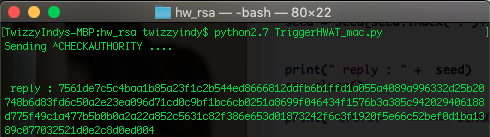
replied 128Bytes (really convert 128bytes into hex string.. so output is exactly 256 string ) ..
Lets take a look how this number comes from ..
Just load his database in IDA Pro and find the string AT CHECKAUTHORITY.

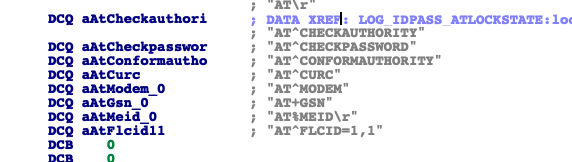
just find CHECKAUTHORITY so it would leads u to a global function
the function reference located on 0x68C50. Decompile it.
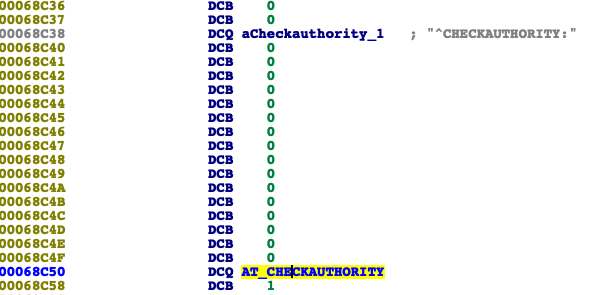
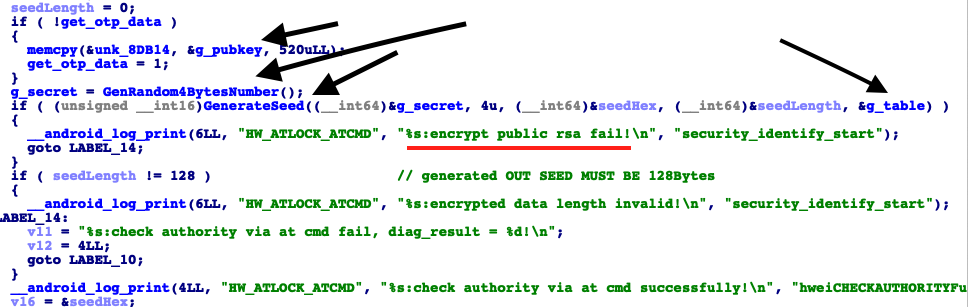
in that function generate random 4 bytes from /dev/urandom and encrypt it using RSA-1020 (yes its 1020 bit) Bit Public Key. I pointed g_table that is a pointer to a factory public key including Modulus(N) and Exponent(E). They existed in the function initTables.
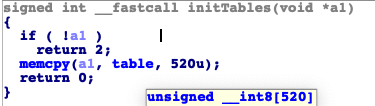
copy 520bytes to the global variable g_table. In that table, two public keys declared clearly. In the RSARef lib’s rsaref.h, PublicKey struct is declared as following ..
// RSA public and private key.
 typedef struct {
   unsigned int bits;                           // length in bits of modulus //
   unsigned char modulus[MAX_RSA_MODULUS_LEN];                    // modulus
   unsigned char exponent[MAX_RSA_MODULUS_LEN];           // public exponent
 } R_RSA_PUBLIC_KEY;

 typedef struct {
   unsigned int bits;// length in bits of modulus
   unsigned char modulus[MAX_RSA_MODULUS_LEN];// modulus in 32 bytes array
   unsigned char publicExponent[MAX_RSA_MODULUS_LEN];//public exponent
   unsigned char exponent[MAX_RSA_MODULUS_LEN];          // private exponent
   unsigned char prime[2][MAX_RSA_PRIME_LEN];               // prime factors //
   unsigned char primeExponent[2][MAX_RSA_PRIME_LEN];   // exponents for CRT
   unsigned char coefficient[MAX_RSA_PRIME_LEN];          // CRT coefficient
 } R_RSA_PRIVATE_KEY;
and it stored in binary as following so i want to seen more accurately extract that 520bytes to a file and saved. File can be download here.
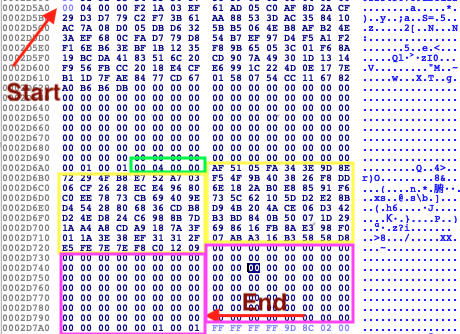
Unsigned Integers with green block : RSAPublicKey bit length yellow block : Modulus Big Integer ( 0x0912C0F87E7EFEE5….FA0551AF ) pink block : exponent ( 0x10001 as big-endian )
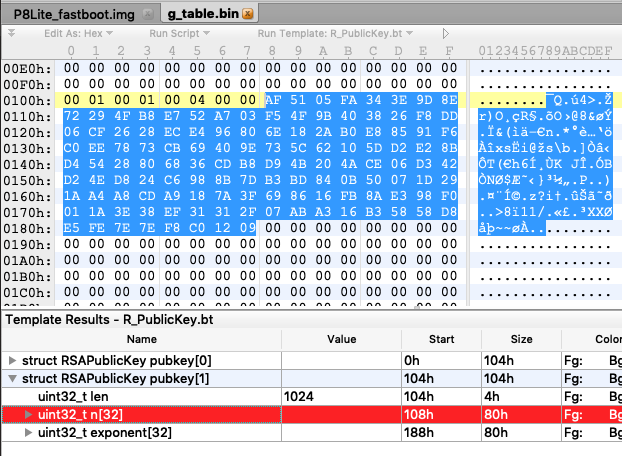
they only used secondary public key in g_table.bin. I made a template for 010Editor it would describe pubkey[1]. Public Key length is 1024bit. (note: integer arrays are in Little-Endian format due to running CPU. Most of ARM CPU using Little-Endian format in these days. So 0xAF 0x51 0x05 0xFA is the really represent the 0xFA0551AF value. Modulus written in RSA Public Key(in RSARef not on OpenSSL library) only from backward. So actual Modulus(RSA_N) integer in hex is
0x0912C0F87E7EFEE5D85858B316A3AB072F3131EF383E1A01F098E38AFB1686693F7A18A9CDA8A41A291D07500B84BDB37D8B98C624D84ED242D306CE4A204BD9B8CD3668802854D48BE2D25D10625C739E4069CB7378EEC0F69185E8B02A186E8096E4EC2826CF06DDF82638409B4FF503A752E7B84F29728E9D3E34FA0551AF
in decimal:
6371457741316914519765021525340956239052128380308402591292603359606828731052296091003332194256971129013949259859765815841439688088057240271314114099759698768636623860627677734659495483811544094843375673972366223779423963530369710323510574439137697212350925753366223963018451648320826942884521536514194493871
I think I need to explain how RSA Encryption works. RSA have two keys which are a public and a private. Encryption need just a public key but decryption doesnt. atcmdserver just encrypt random 4 bytes with Public Key and output the encrypted Big Integer array. So we have to decrypt them with Private Key and encrypt again with same private key and then send result to the phone via AT command as following :
AT ^ CONFORMAUTHORITY:8123884838348988...
reply: OKAY
we should take a look more in depth ..
decompile GenerateSeed function it just put Random 4 bytes value into PKCS#1 1.5 Padding format. the padded message would be like following ..
in hex 0001FFFFFFFF…FFFF00[generated random 4bytes]
and then the put padded formatted array into RSAPublicBlock and get output value.
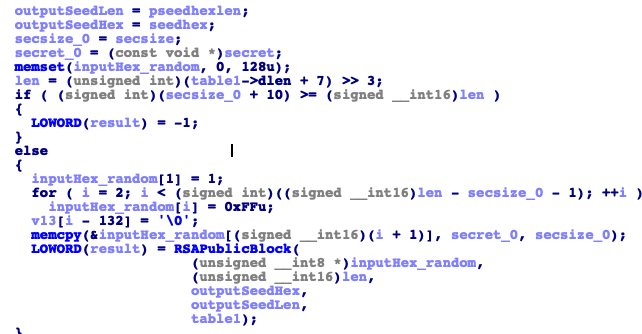
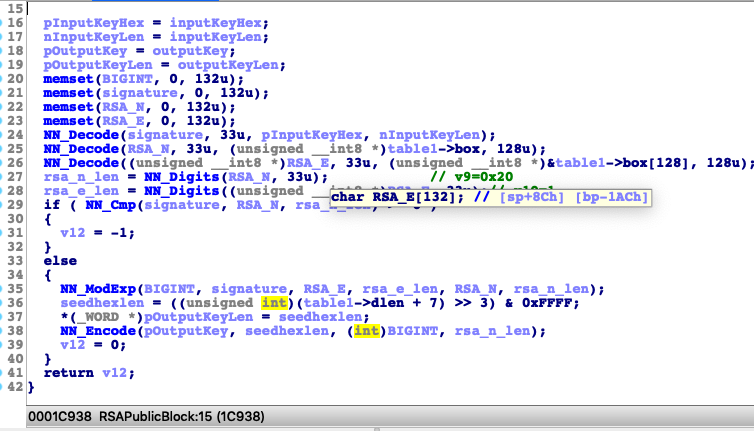
My renaming looks fine huh? I found that they used RSARef Library when I tried to load the fastboot.img (you could extract it from firmware package UPDATE.APP or get from /dev/block/by-name/*/fastboot).
Look at the last bytes with ordinary hex editor.
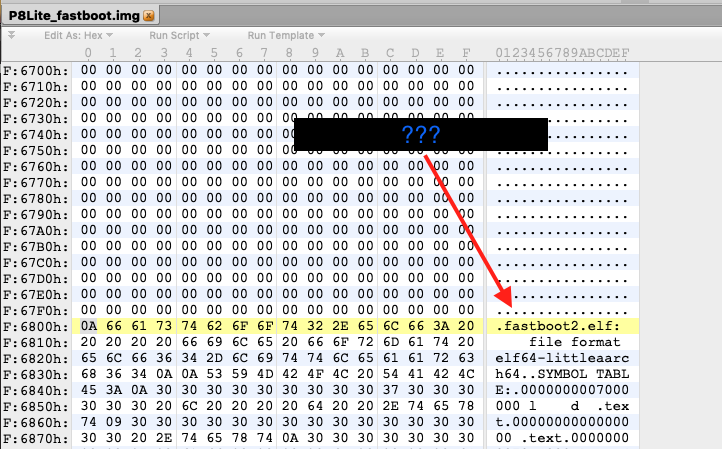
its strange .. take a look that in plaintext mode ..
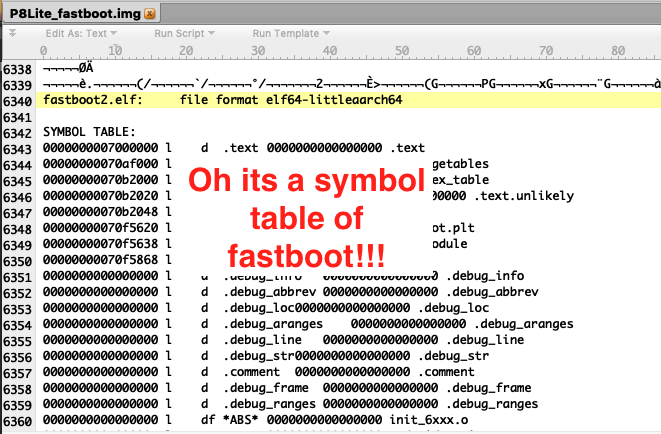
a symbol table of fastboot .. they generated it using nm (included in Android NDK Bundle) ..
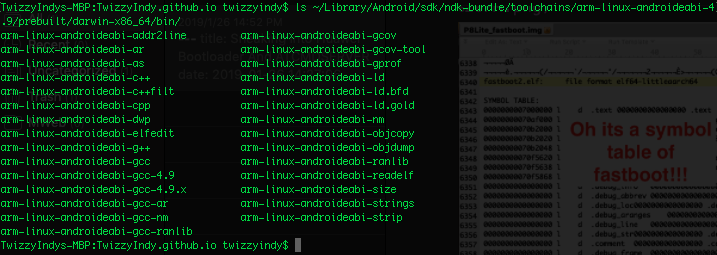
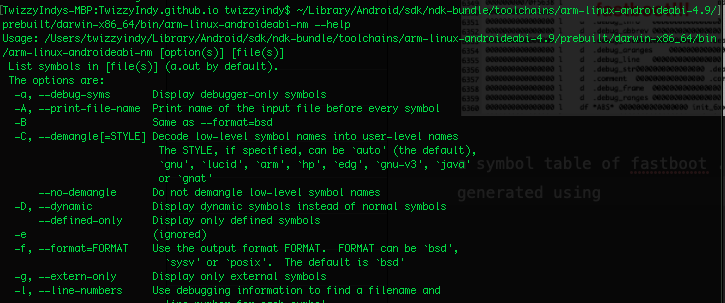
(we better reverse that binary in PART II)
get back to atcmdserver again ..